How to Light Candles in Minecraft: Craft, Place, and Set the Mood
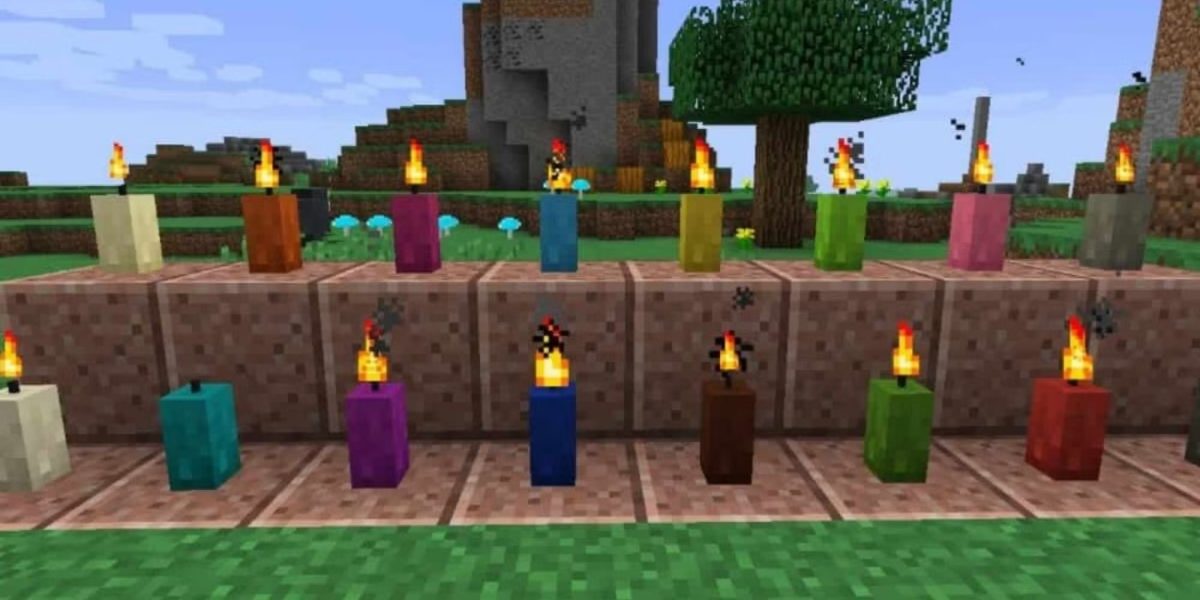
Whether you’re throwing a spooky soirée in your haunted mansion or creating a peaceful ambience in your fantasy base, candles are the perfect decorative touch in Minecraft. Introduced in the Caves & Cliffs Update, candles not only bring style to your builds—they also light up your surroundings and add a magical vibe to your world.
But before you start lighting the way, let’s break down how to craft, place, and light candles like a pro.
🧪 What You Need to Make Candles
To light candles, you need to have them first! Crafting a candle in Minecraft is fairly straightforward, but it does require a few specific ingredients:
- 1 Honeycomb 🍯
- 1 String 🧵
- (Optional) 1 Dye 🎨 – if you want to colour your candle
You can get honeycomb by using shears on a beehive or bee nest (make sure there are at least 3 honey levels and smoke out the bees first with a campfire underneath, unless you fancy getting stung!).
🔨 Crafting the Candle
Head over to your crafting table and combine the items like this:
- Top Slot: String
- Middle Slot: Honeycomb
- Bottom Slot (optional): Dye
Without dye, you’ll get the standard beige candle. Want pink, red, black or cyan? Throw your chosen dye into the mix.
🕯️ Placing the Candle
Once crafted, place the candle on a solid block. Here’s the cool bit:
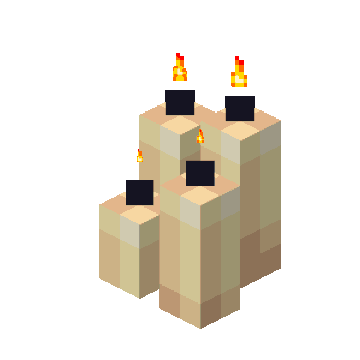
- You can place up to four candles on the same block.
- Right-click (Java) or tap (Bedrock) the same block again with more candles to group them together.
- The more candles on a block, the brighter the light level.
Note: Candles can’t float in the air, and they’ll only sit on full blocks—no slabs or stairs!
🔥 How to Light a Candle
Now, let’s get to the fun part—lighting it!
You’ll need one of the following items to light a candle:
- Flint and Steel
- Fire Charge
Just aim at the candle and right-click (or tap) with the fire-starting item.
And voilà! Your candle is now flickering with warm light.
Top Tip: You can also light a candle on top of a cake. Perfect for a Minecraft birthday party! Blow it out again by right-clicking, and you’re good to celebrate.
💡 Putting It Out
Want to snuff out your candle? Simply right-click (or tap) the flame with an empty hand. You can relight it at any time.
🎨 Styling With Candles
Candles are not just for light—they’re for vibes. Here’s how to get creative:
- Ritual circle with black candles for your spooky nether portal room
- Romantic dinner table with red and pink candles
- Mystical library with purple and blue glowing candles
- Birthday cake with a single lit candle—yes, it works on cake!
🧠 Final Thoughts
Candles in Minecraft are a small touch that add a big sense of atmosphere to your builds. Whether you’re going for gothic, romantic, festive, or just fancy, knowing how to light candles will unlock another layer of creativity in your worlds.
So grab some honeycomb, spark up that flint and steel, and get glowing. 🔥
Enjoyed this guide? Keep the fire burning 🔥 by checking out our other Minecraft tutorials at Elitegamerinsights—where the pixels never sleep. Want short simple video guides? Check out our tiktok!
Roisin
Roisin is a lead editor and gaming enthusiast, bringing you the latest news and deep dives into the gaming world.
View all posts